
![How to Unlock an iCloud-locked iPhone Without/With a Computer [Full Guide]](https://www.pcworldsolutions.com/wp-content/uploads/2026/02/iPhone-1200x675.jpg)
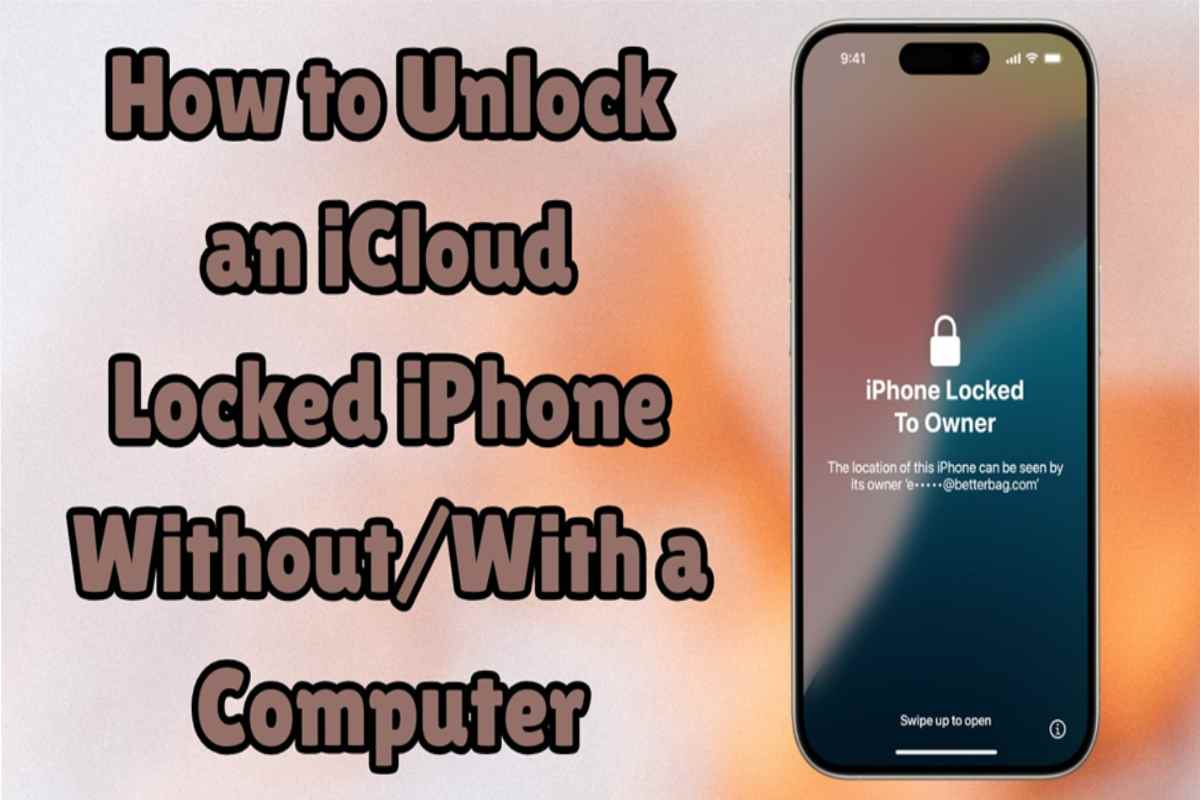
Since many iPhone users face the iCloud Activation Lock after resets, unlocking becomes essential. This lock stops access to devices without the previous owner’s Apple ID. It can also be disturbing, especially for secondhand iPhones. Moreover, official methods sometimes fail or take too long, leaving users stuck.
That’s why external tools are essential for a quick solution. Among these, Dr.Fone iPhone Unlocker stands out as an effortless choice. It helps users remove activation locks in a few minutes. In this guide, you will explore both official and advanced methods to regain full access to your iPhone.
Table of Contents
Part 1. 2 Official Ways to Remove iCloud Activation Lock on iPhone
Before trying advanced tools, you can explore official methods to bypass iCloud Activation Lock. This part provides you with Apple’s 2 legitimate ways to regain access:
Method 1. Utilize the Find My Service
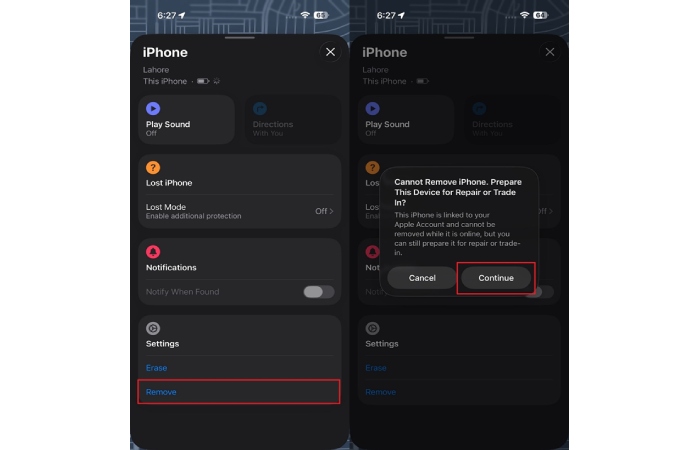
The Find My service is a native Apple feature that helps locate and manage devices remotely. It allows users to remove their iPhone from the linked account using iCloud settings. Yet, this option works well if you can access the same Apple ID credentials. It’s a secure and official way to handle a locked iPhone. Thus, you can follow the given steps to utilize this feature and remove your device:
Instructions. Upon heading to “iCloud’s Find Devices” page or Find My app on another iPhone, pick your device from “All Devices.” When prompted, tap the “Remove” feature to remove it. Hit the “Continue” button and allow the system to fully unlink your iPhone from iCloud.
Method 2. Try Contacting the Previous Owner
Contacting the previous owner also allows direct removal of the iCloud-locked iPhone. They can sign out of their Apple ID or provide the necessary credentials quickly. This method ensures the device becomes fully usable without extra tools. It also protects your personal data while restoring access. Thus, simple communication with the original owner often resolves the lock efficiently.
Part 2. Dr.Fone – iCloud Activation Unlocker: Fastest Method to Unlock Activation Lock
When the official method can’t work, use Dr.Fone – Screen Unlock (iOS) for effortless unlocking. It provides a safe and straightforward way to unlock your device without needing an Apple ID password. The tool restores complete access to your iPhone within just a few minutes of use. Plus, it works perfectly on all devices, even those running the latest iOS 26 version.
Moreover, Dr.Fone iPhone Unlocker detects your device and downloads the correct firmware while unlocking. Also, its innovative technology ensures that every unlocking process happens on your local system. You can also use the tool even if your old Apple ID credentials are forgotten or lost. Plus, it can even remove MDM or remote management profiles without harming your personal data.
Guide to Unlock iCloud Activation Lock Effortlessly Through Dr.Fone
Adhere to the given detailed steps to remove iCloud activation lock from your iDevice via this tool:
Step 1. Launch the Software to Remove iCloud Lock
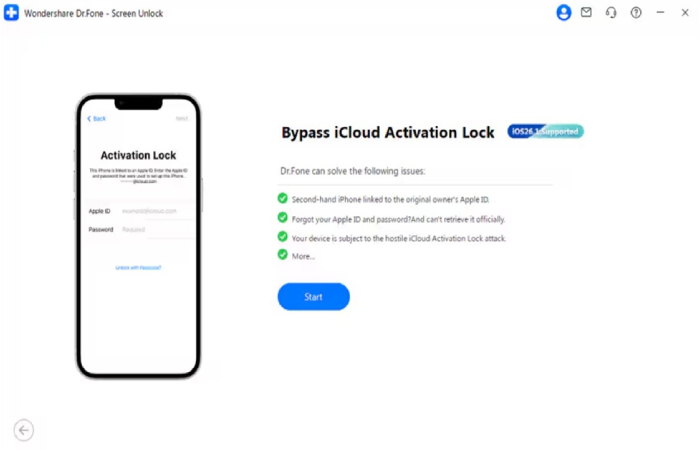
Upon navigating to the “Toolbox” tab, select “Screen Unlock” for iOS. As you see the following screen, select “iCloud Activation Lock Removal” and then click the “Start” button.
Step 2. Ready Your iDevice for Jailbreaking
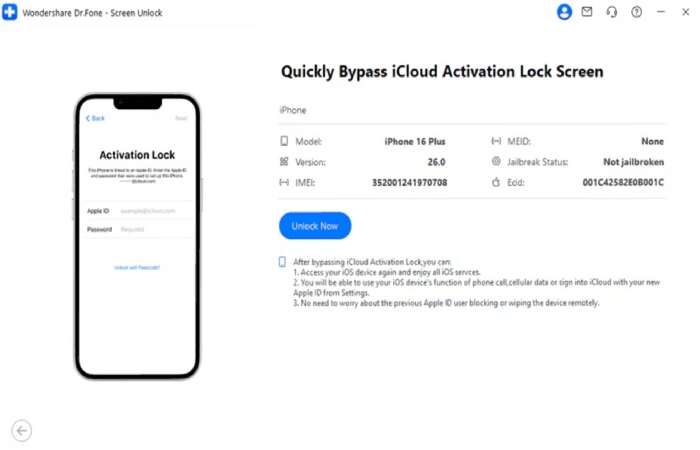
Link your phone to the PC and hit “Unlock Now” to proceed with the process.
- For iOS 17.0.1–26.1: Dr.Fone iPhone Unlocker will automatically detect and install the necessary device driver.
- For iOS 15.0–16.7.11: Review the displayed guide to put your device into Recovery Mode for jailbreaking.
- For iOS 12.0–14.8.1: You will follow the given prompts to jailbreak your iCloud-locked iPhone manually.
Step 3. Bypass the iCloud Activation Lock Smoothly
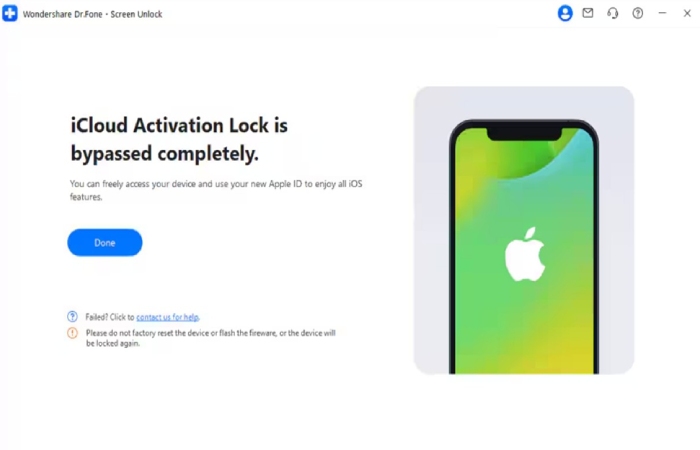
Once your device is ready, the software will remove the iCloud lock and confirm completion.
Why Most Individuals Choose Dr.Fone to Unlock Devices
Its simple features and reliable performance make it simple to bypass iCloud Activation Lock. Also, here are some benefits of opting for the Dr.Fone iPhone Unlocker:
- Easy Interface: The tool features a clear, guided screen that simplifies each unlocking step. Every button and instruction helps users follow accurately without issues.
- Apple ID Reset: The tool helps reset or remove forgotten Apple ID credentials in minutes. This allows users to enjoy their iPhones again without being locked or restricted.
- Safe Operation: All unlocking happens on your computer system using secure local processing. So, users can trust every function for careful performance without privacy risks.
- Wide Support: This service works with all iPhone models and the newest iOS 26 versions. It gives every user flexible compatibility to unlock devices without additional setup.
Part 3. Unlock Ways Showdown: Side‑by‑Side Comparison of All iPhone Unlock Methods
When deciding how to unlock an iCloud-locked iPhone, comparing all methods helps. The following side‑by‑side review shows each approach’s speed and usability clearly:
| Comparison Points | Find My Service | Contact Previous Owner | Dr.Fone iPhone Unlocker |
| Device Support | Works for iPhones linked to an Apple ID that you can access | Works for any iPhone if the original owner still has access to their Apple ID | Supports a wide range of iPhone models, including newer iOS versions officially supported |
| Speed | Medium and dependent on Apple server processing | Medium and dependent on how quickly the owner responds | Fast unlocking process once the device is connected and confirmed |
| Ease of Use | Simple to use but requires a valid Apple ID credentials | Easy to use, but requires communication with the previous owner | Very easy and guided with step-by-step instructions on screen |
| Apple ID Requirement | Apple ID credentials are necessary | The previous owner must log in with their Apple ID | No Apple ID or password is required for unlocking |
| Reliability | Less reliable when credentials are unavailable | Entirely dependent on the cooperation of the previous owner | Generally reliable for supported models and unlocking conditions |
Pro Tip. How to Disable iCloud Activation Lock Before Selling Your iPhone?
Before selling your iPhone, it’s important to disable the iCloud activation lock. This step ensures the new owner can activate and use the phone without problems. It also protects your personal data by ensuring nothing stays linked after you erase the phone. With this simple process, the new user can set up the device easily. Thus, you can adhere to the given steps to disable this feature before selling your phone:
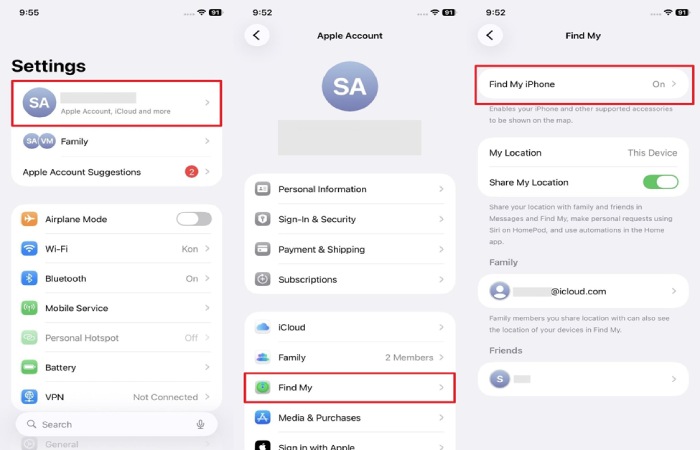
Step 1. As you head to the “Apple Account” settings, access the “Find My” section. After that, go to the “Find My iPhone” feature and toggle it off.
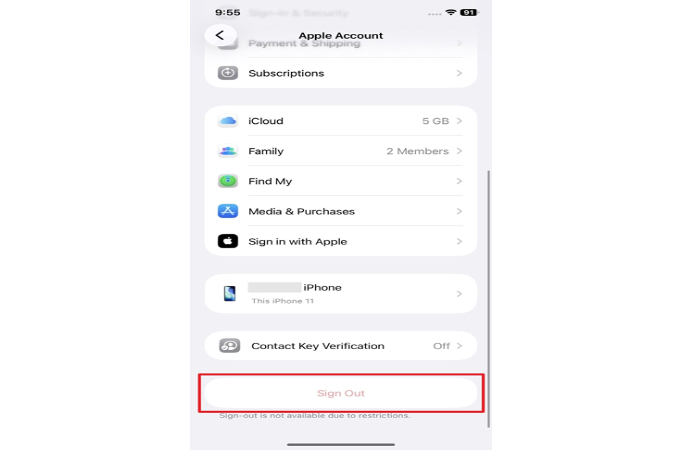
Step 2. Later on, go back to the “Apple Account” settings’ main screen and swipe up to press the “Sign Out” button.
Conclusion
To sum up, users can unlock an iCloud-locked iPhone when they understand all available options. Official ways work well if you have the required Apple ID credentials in hand. However, for users who lost access or bought secondhand devices, quick help is essential. That’s where advanced tools become useful for safe and fast unlocking. Hence, using Dr.Fone iPhone Unlocker is highly recommended for effortless iCloud lock removal.