
In today’s streaming world, Apple Music offers an unparalleled library of over 100 million songs. But what happens when you want to listen to your favorite playlist offline, on any device, without a subscription or an internet connection? You face the frustrating reality of Digital Rights Management (DRM). Apple Music’s tracks are protected, meaning you can’t simply download them as universal MP3 files… until now.
Introducing ViWizard Apple Music Converter – the key to liberating your music collection. This powerful, user-friendly software is designed to legally convert your Apple Music songs, playlists, and audiobooks into common, DRM-free formats like MP3, FLAC, AIFF, and more. Let’s explore how it empowers you to truly own and control your music.
Table of Contents
Why You Need to Convert Apple Music to MP3?
While Apple Music is fantastic for streaming, its limitations are clear:
- Subscription Lock: Your music vanishes if your subscription lapses.
- Device Restrictions: You can’t play Apple Music files on non-Apple devices like MP3 players, Android phones, or standard car stereos.
- Platform Barriers: You cannot use Apple Music files as background music for videos, in gaming platforms, or other media projects.
- Offline Anxiety: Downloaded songs for offline listening within the app are not transferable files and are managed by Apple’s ecosystem.
Converting songs to MP3 solves all these problems. The MP3 format is the universal language of digital audio, compatible with virtually every device and media player in existence. Once converted, your music is yours forever—to archive, to share across devices, and to enjoy without restrictions.
Why ViWizard Apple Music Converter Is the Ultimate Choice?
ViWizard Apple Music Converter is a professional desktop tool designed to help users download and convert Apple Music songs, albums, and playlists to MP3 and other common audio formats. It removes DRM protection while preserving original sound quality and metadata.
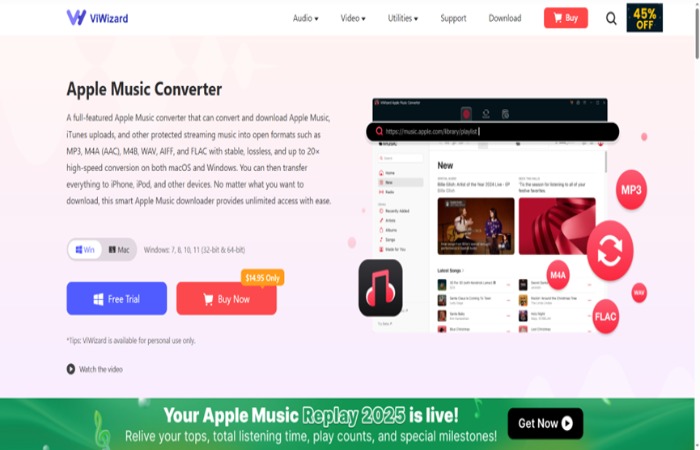
While other converters exist, ViWizard stands out for its reliability, quality, and depth of features:
- Flawless Audio Quality: It uses a cutting-edge audio processing engine to ensure a 100% lossless conversion. The output MP3 files retain the original sound quality, so you hear every detail.
- Blazing-Fast Speed: The 30X conversion speed saves you hours, allowing you to convert entire albums in the time it takes to listen to one song.
- Bulk Conversion & Organization: Convert thousands of songs in one go. ViWizard keeps everything organized, preserving all metadata and chapter info for audiobooks.
- User-Centric Design: Its intuitive, clean interface requires no technical expertise. It’s as simple as “add, select, convert.”
- Convert Apple Music to MP3 and More: ViWizard supports multiple output formats, including: MP3, AIFF, WAV, FLAC, M4A and M4B. MP3 is the most popular choice thanks to its compatibility with almost all devices.
- Continuous Updates: The ViWizard team consistently updates the software to ensure full compatibility with the latest versions of Apple Music and macOS/Windows systems.
How to Download Apple Music to MP3 with ViWizard (Step-by-Step)?
Downloading Apple Music to MP3 using ViWizard is simple, even for beginners. Just follow these steps:
Step 1: Install ViWizard Apple Music Converter
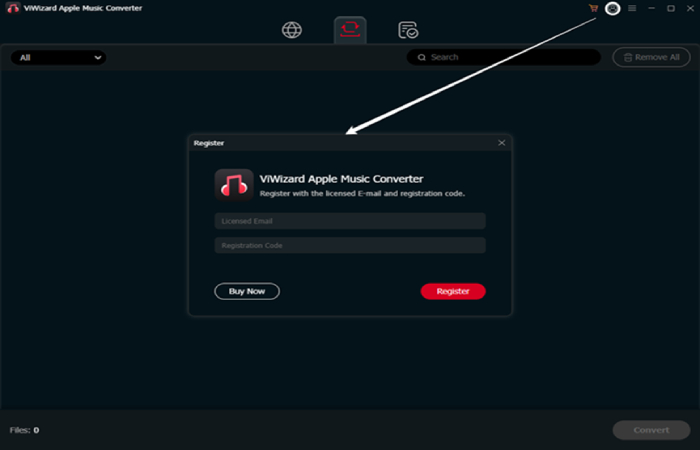
Download and install ViWizard Apple Music Converter on your Windows or Mac computer. Launch the program once installation is complete.
Step 2: Log in to Your Apple Music Account
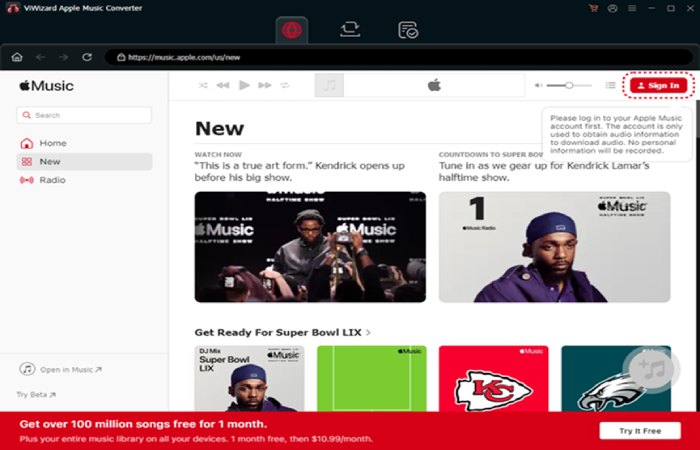
Use the built-in Apple Music web player inside ViWizard to sign in with your Apple ID. This gives you access to your entire music library.
Step 3: Add Apple Music Songs or Playlists
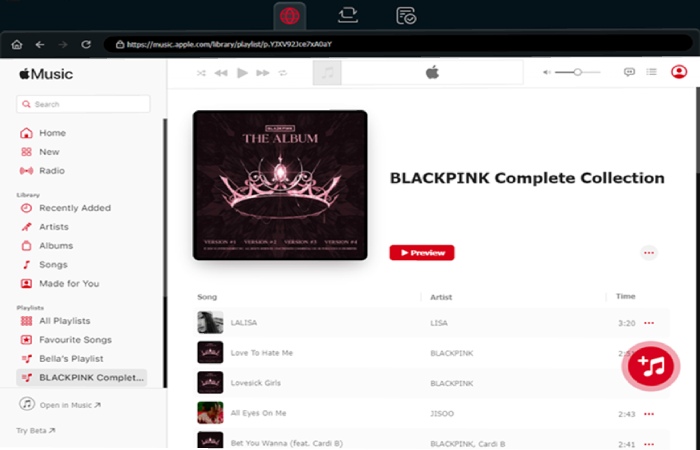
Browse or search for the songs, albums, or playlists you want to download. Click the “+” button to add them to the conversion list.
Step 4: Choose MP3 as the Output Format
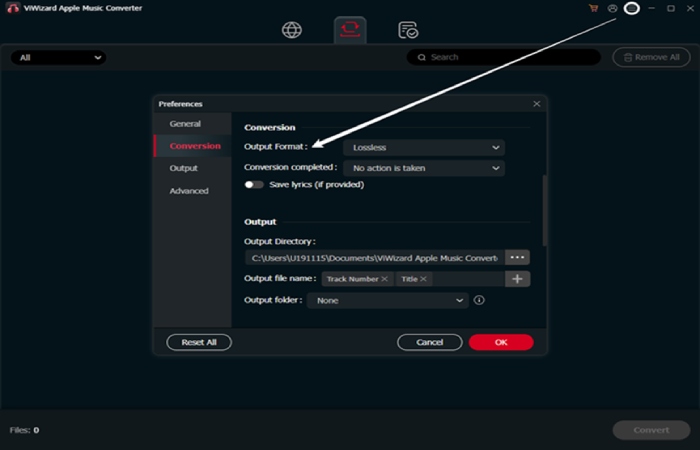
Go to the settings menu and select MP3 as the output format. You can also adjust bitrate, sample rate, and output folder if needed.
Step 5: Convert Apple Music to MP3
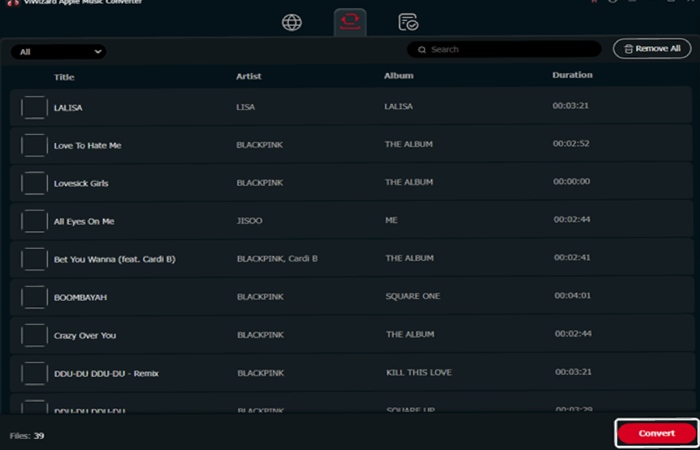
Click the Convert button. ViWizard will start removing DRM and converting Apple Music to MP3 at high speed. Once finished, you’ll have DRM-free MP3 files ready to use anywhere.
Who Should Use ViWizard Apple Music Converter?
ViWizard is ideal for:
- Apple Music subscribers who want permanent downloads
- Users switching from iOS to Android devices
- Music lovers who prefer MP3 collections
- DJs and creators needing offline access for personal use
- Anyone tired of Apple Music playback restrictions
Your Music, Your Rules
Imagine taking your carefully crafted “Road Trip” playlist from Apple Music and playing it on an old-school MP3 player during a camping trip with no cell service. Picture adding that exclusive album track to a wedding video montage, or simply building a permanent, subscription-free backup of your most cherished music. ViWizard Apple Music Converter makes this a reality.
It’s more than just a tool; it’s an investment in permanent access to your cultural library. In an age of digital ephemerality, true ownership matters.
Ready to set your music free? Download ViWizard Apple Music Converter today and take the first step towards a limitless, portable, and personal music collection. Stop streaming with limitations and start owning your soundtrack to life.