
Table of Contents
Introduction
In a competitive game such as Fortnite, communication is not just simple talking, but it is actually a vital part of your strategy, character, and the way you are recognized online. The use of voice changers is a thing of great popularity that many gamers and content creators have jumped on because they make the game more enjoyable, give privacy, and facilitate the creation of a distinct gaming persona. If you want to sound threatening during squad matches, hide your real voice, or make your viewers laugh while streaming, then finding a high-quality Roblox voice changer or a similar tool for Fortnite is the way to go.
We have compiled a list of the 6 best Fortnite voice changers and went through the testing process in terms of real-time performance, sound quality, user-friendliness, and compatibility with Fortnite’s voice chat and popular streaming platforms. Whether it is an AI-based voice effect or a simple real-time voice modulator, these devices will help you become more creative and confident in your communication while gaming.
Best 6 Voice Changers for Fortnite
EaseUS VoiceWave
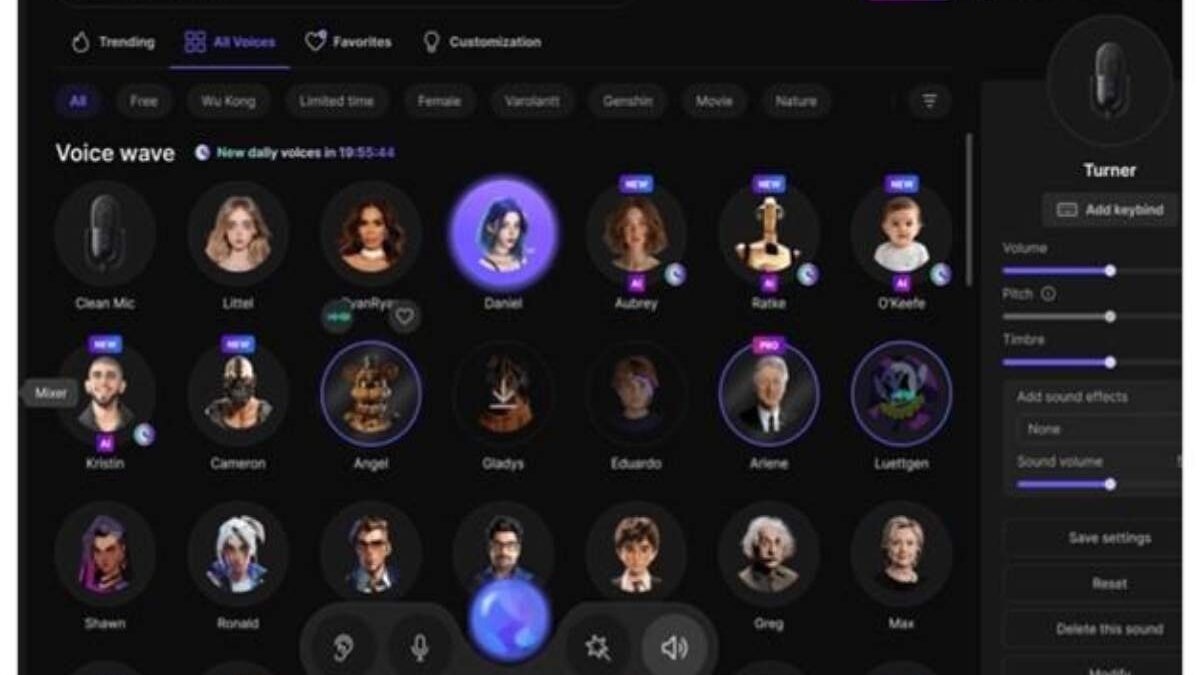
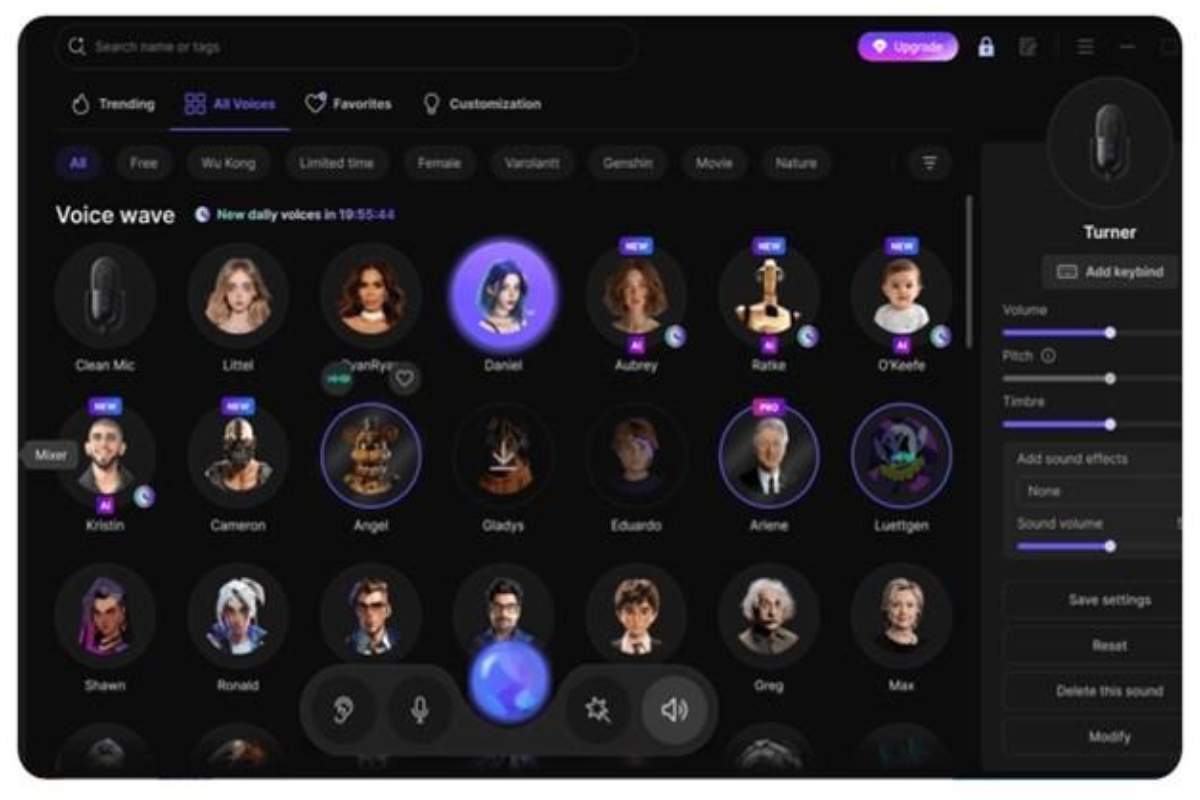
EaseUS VoiceWave can be considered as one of the most efficient Fortnite real-time AI voice changers, which is a great option for gamers, streamers, and content creators. It offers an ultra-low latency voice change that guarantees the naturalness of your changed voice and perfect synchronization in a live Fortnite match.
By means of a multitude of voice effects and an inbuilt soundboard, it enables role-playing to be more immersive, identity to be kept secret in voice chat, and squad communications to be either made fun of or used for intimidation. The smooth integration of this device with such platforms as Discord, OBS, and popular games is what makes it particularly dependable not only for casual play but also for competitive streaming.
Key features:
- Real-time AI voice changer with minimal delay for Fortnite voice chat
- 200+ realistic voice effects and 300+ soundboard effects
- Built-in noise reducer for clearer in-game communication
- Adjustable pitch, tone, and timbre for custom voice profiles
- Compatible with Discord, OBS, Streamlabs, and other chat tools
- Supports 1000+ online games and messaging apps
- Available on Windows 10 and Windows 11
Clownfish Voice Changer
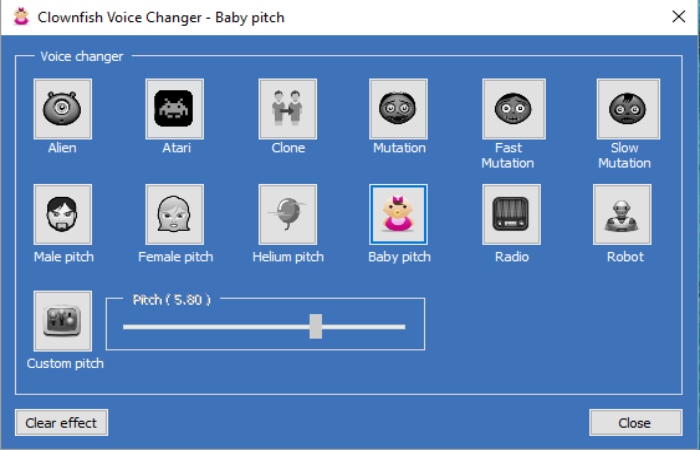
Clownfish Voice Changer is a Windows system voice changer that is lightweight but efficient, which makes it a good free choice for Fortnite players who want to use voice effects in real-time and simply without a complex setup. After a single installation at the system level, it changes the input of your microphone in all the programs automatically, e.g., in Fortnite voice chat, Discord, Steam, TeamSpeak, and Skype. It has quite a few classic voice effects of the type of alien, robot, helium, male/female pitch, and custom pitch, along with sound and music players in the package.
Although it does not use AI much, its low resource consumption, VST plugin support, and the possibility of using an external AI voice client make it a suitable and versatile solution.
Key features:
- System-wide voice changer affecting all microphone-based apps
- Real-time voice effects for Fortnite, Discord, Steam, and TeamSpeak
- Multiple preset effects, including aliens, robot, helium, baby, and radio
- Custom pitch control for manual voice tuning
- Built-in sound player and background music playlist
- VST plugin support for advanced audio customization
- Optional text-to-speech voice assistant
VoiceMod Voice Changer
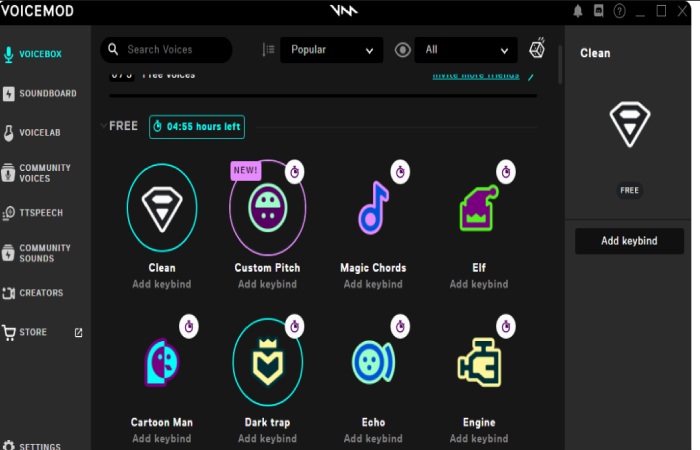
Voicemod Voice Changer is one of the best AI-powered real-time voice changers for Fortnite, thus providing a trouble-free experience to gamers, streamers, and content creators alike. One can instantly change their voice out of 150+ preset voices and even make new ones through Voicelab, which is an advanced voice editing suite in the software. The program is compatible with the following platforms: Discord, Fortnite voice chat, OBS, and Steam, and it is capable of ultra-low latency performance to keep the voice in sync with the action without any delay.
If it is just for fun or to create the hype-charisma effect on the audience for your live streaming, Voicemod can turn you into an anime character, space commander, or just use the comedic persona to get infinite options.
Key features:
- Real-time AI voice changer with ultra-low latency for smooth gameplay
- Over 150 pre-set voices and thousands of community-created voices
- Voicelab for custom voice creation with pitch, tone, and style adjustments
- Compatible with Fortnite, Discord, OBS, Steam, and other chat platforms
- Soundboard supports trigger effects instantly during games
- AI-powered voice modulation that maintains natural emotion and timing
W-Okada Voice Changer
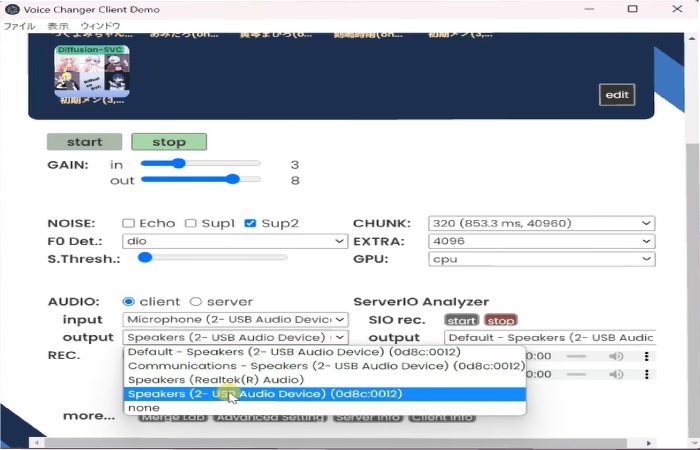
W‑Okada Voice Changer is an AI-powered, real-time voice changer free of cost and open-source in nature, which provides Fortnite gamers and streamers the ability to manipulate voice-transformation completely. It employs advanced AI models like RVC, MMVC, so-vits-svc, and DDSP-SVC, and thus allows one to change pitch, tone, and style, along with the original speech patterns. In contrast to W‑Okada, which is a plug-and-play option, it is a very customizable and cross-platform tool that can be used on Windows, macOS, Linux, and even Google Colab.
Key features:
- Real-time AI voice conversion with models like RVC, MMVC, so-vits-svc, DDSP-SVC
- Cross-platform support: Windows, macOS, Linux, Google Colab
- Free and open source with full GitHub repository access
- Adjustable voice parameters, including pitch, tone, and speed
- Custom voice model training and selection for unique voices
- Can distribute processing load to minimize game lag
Voice Changer with Effects
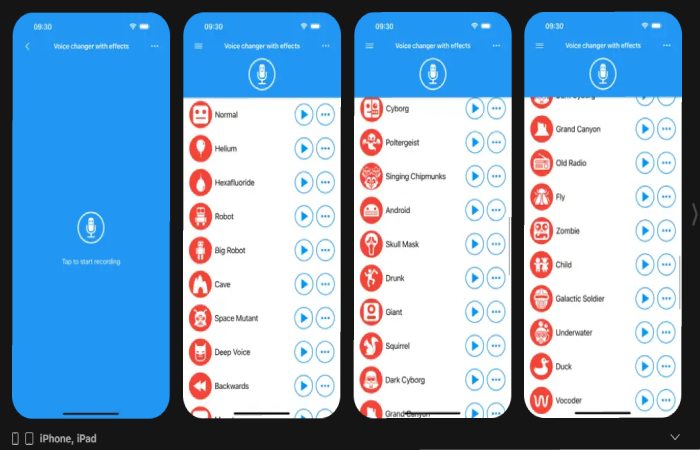
Voice Changer with Effects is a straightforward Android and iOS application through which Fortnite players, as well as streamers, may easily change their voices using their iPhone or iPad. The program has an extensive list of over 50 different effects, such as robots, aliens, chipmunks, and many more, which can be used by gamers to confuse their friends, pretend to be a character, or simply have fun in voice chats. The main idea behind this is to enable users to quickly change their voice for on-the-go use without the need for a PC setup, thus it is a mobile Fortnite player or anyone who wants to make their online calls more interesting. Although it’s not AI-driven like some desktop alternatives, its user-friendliness and immediate effect implementation still make it a great option for non-professional gaming and streaming.
Key features:
- Real-time voice changing with multiple fun effects
- Easy-to-use interface suitable for all ages
- Record, save, and share modified audio instantly
- Effects include robots, aliens, chipmunks, echo, and more
- Works with Fortnite mobile voice chat, Discord, and other apps
- Lightweight app optimized for iPhone and iPad
VoiceChanger.io
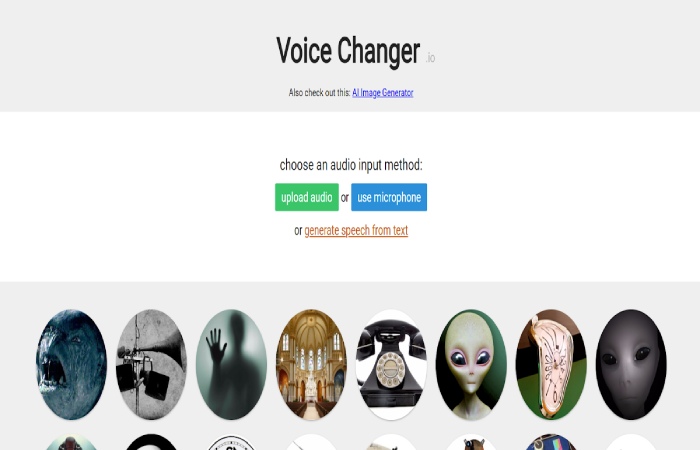
VoiceChanger.io is a web-based online voice changer that Fortnite players can use to quickly change their voice without the need for software installation. In a nutshell, it’s a great tool that can be used by those who want instant voice effects for fun, casual gameplay, or content creation with a minimal setup. The tool operates right in your web browser, and you can either record audio or use your microphone to apply the effect to your voice.
Although it does not feature an advanced real-time AI voice conversion for live Fortnite matches, it can be a great resource in making voice clips with an altered voice, trolling friends, or simply adding some creative audio to your Fortnite videos and social content.
Key features:
- Fully online voice changer with no software installation required
- Simple microphone recording and instant voice effect processing
- Multiple preset effects such as robot, alien, monster, and chipmunk
- Fast processing suitable for quick edits and voice clips
- Works on Windows, macOS, and mobile browsers
- Free to use with basic features
FAQs about voice changers in Fortnite
1. Are voice changers permitted in Fortnite?
Yes, voice changers are typically allowed in Fortnite if they do not grant unfair advantages, facilitate harassment, or violate Epic Games’ community rules. Most players utilize them just for fun, privacy, or role-playing purposes.
2. Is it possible to use a voice changer with Fortnite voice chat and Discord simultaneously?
Yes, it is possible. Most modern voice changers implement a virtual microphone, which makes the same altered voice available for communication in Fortnite in-game chat and applications such as Discord, OBS, or TeamSpeak at the same time.
3. Which is the best voice changer for Fortnite with the least amount of lag?
To have a smooth gameplay experience, the selection of a tool with very low latency and AI optimization is the best option. EaseUS VoiceWave could be a good option as it provides real-time AI voice changing with very short delays, built-in noise reduction, and stable performance during Fortnite games and live streaming.
Conclusion
Using a voice changer in Fortnite can be enjoyable, engaging, and help in thinking outside the box—for example, if you are role-playing, keeping your privacy, or simply making the game amusing for your teammates and viewers. Tools such as Clownfish, Voicemod, W-Okada, and Web-based services are tailored for different requirements, ranging from basic to highly customizable AI-based solutions.
However, if you are looking for the most comprehensive solution, EaseUS VoiceWave is the number one recommendation. Its live AI voice changing, very low latency, noise cancellation, and smooth compatibility with Fortnite make the perfect combination for gamers and streamers who are after a trouble-free and quick-to-set-up solution.